


Bundle ฿1,359฿1,359

A Claude Code kit for motion-graphics clips

Describe the clipyou want, in plain words.Get a finished motion-graphics videowith its own music,in 9:16 and 16:9

Claude Code becomes a crew on your own computer: it writes the animation, composes the music, checks every frame and renders the file.

You need: a Windows or Mac computer + a paid Claude plan (Pro or above). A phone alone won’t do.Will my computer do? 1-min checkSee every cost

Everything bundle ฿1,359 Bought separately ฿1,987≈ US$37, charged in THB

  • Start with Lesson 1 · ฿499, kit included
  • Pay once, use for life
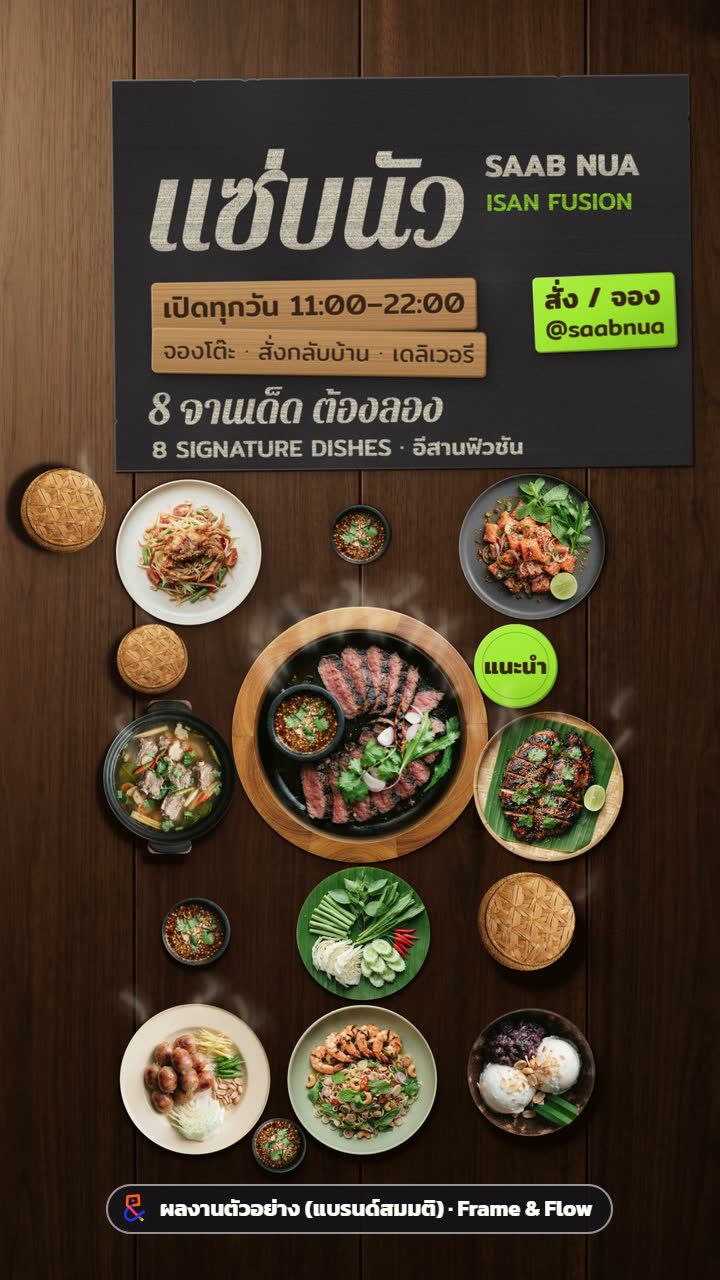
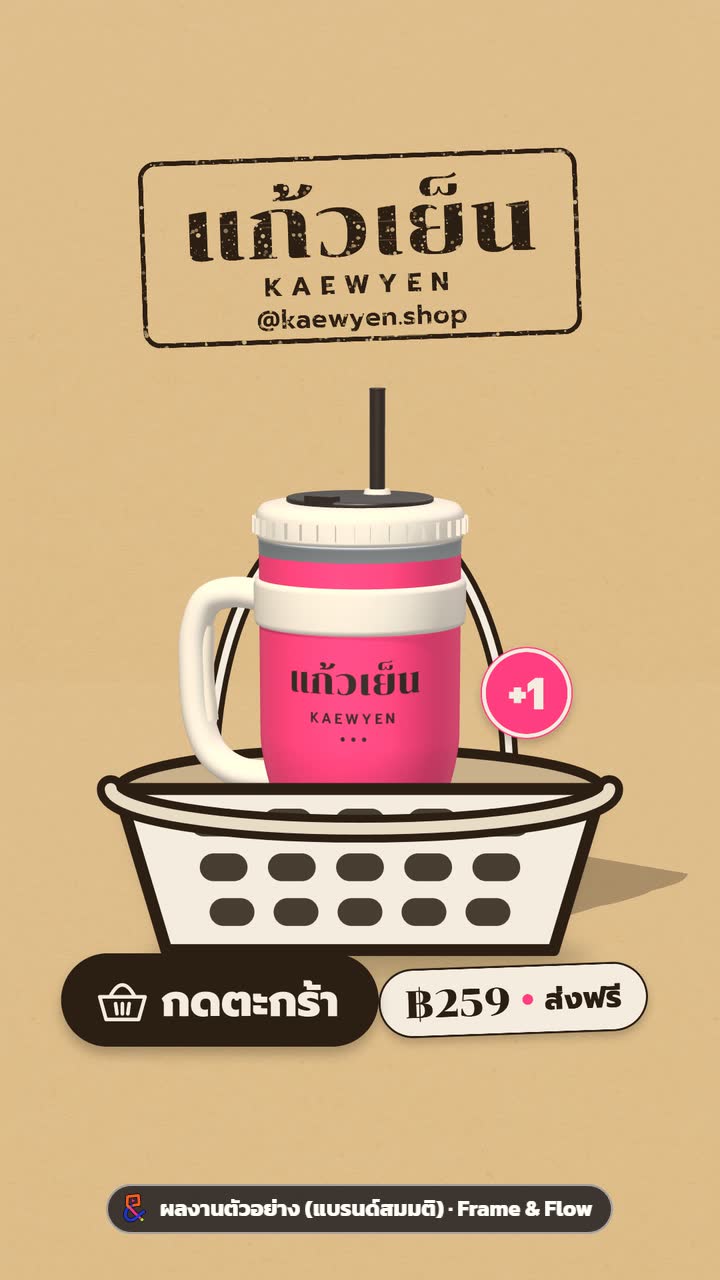
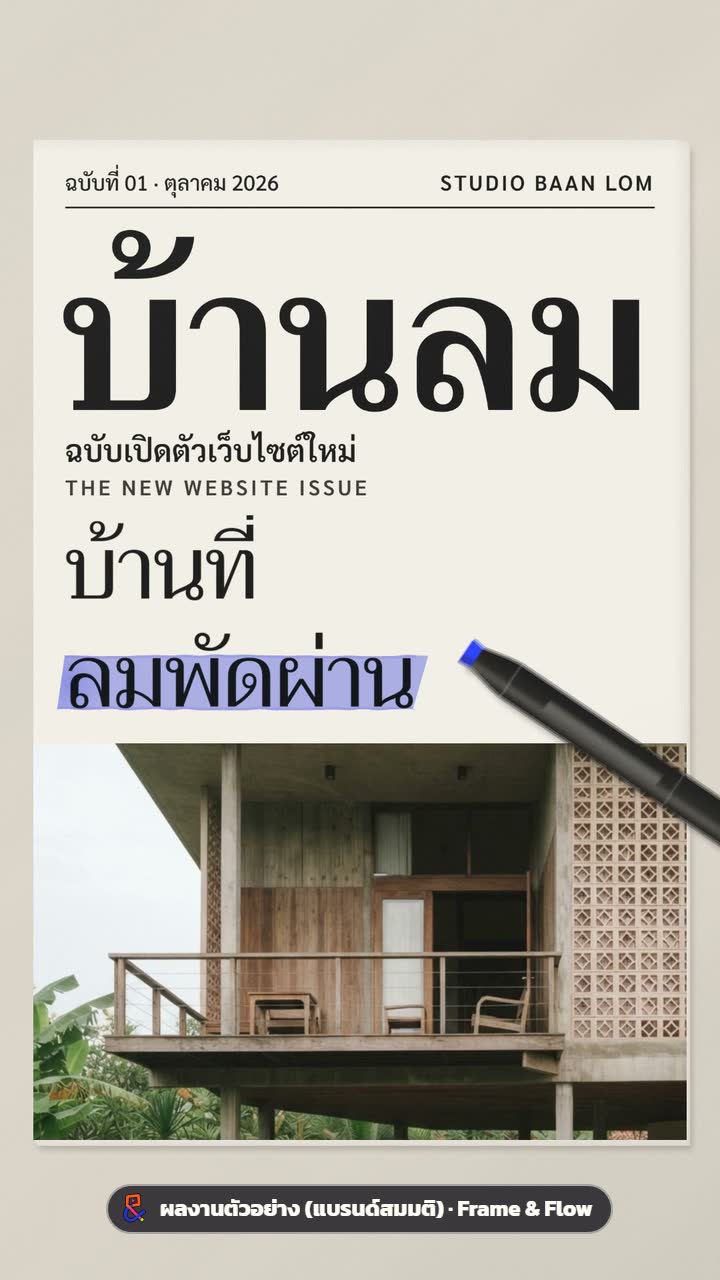
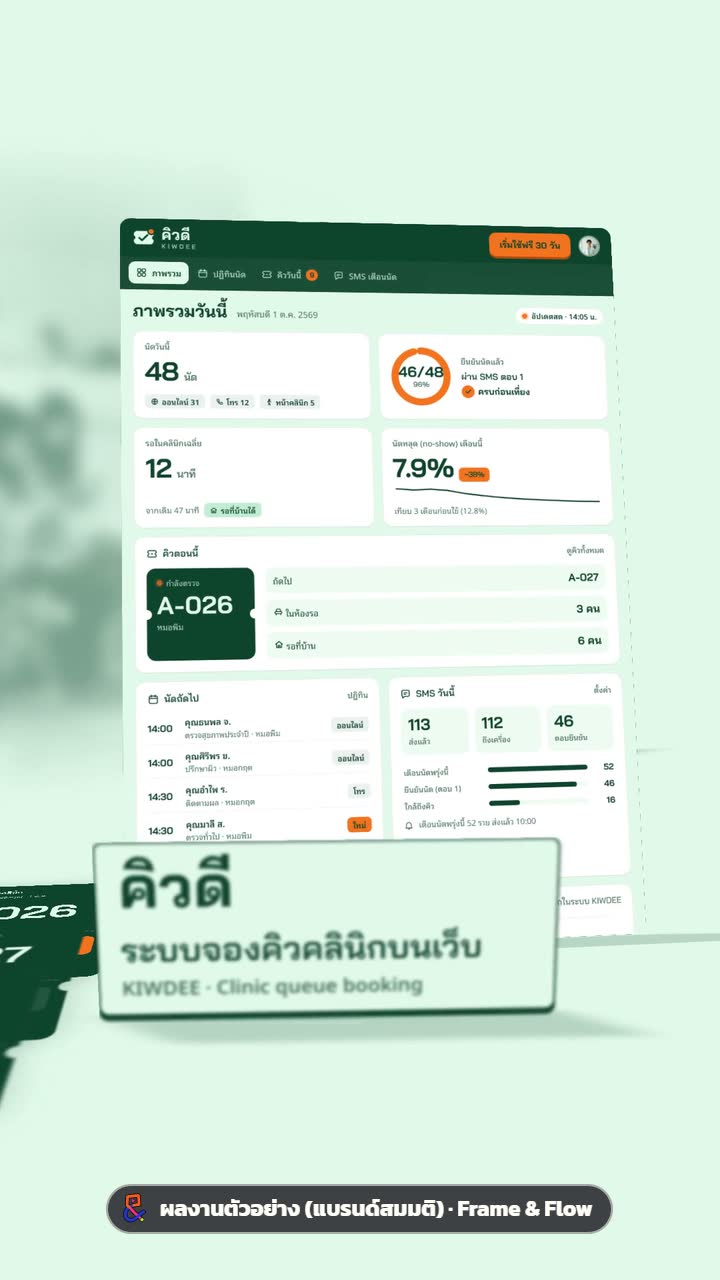
Brief paraphrased, not the real prompt · the clip in the frame is a real sample work (fictional brand)

01The work

One brief, every format

These clips were really made with this kit, each labelled “sample work (fictional brand)”. You see the first 7 seconds, watermarked; the full files in every format, with sound, are in your library after you buy.

What do you make clips for?

4 more categories are in production (every category’s prompt is already in the Prompt Pack)

This work’s real contact sheet (reduced)

The AI checks the clip like this before you see it: one frame per beat, start to finish.

What the AI checks before you look

  • Contact sheet, beat by beatcheckingpass ✓pass ✓pass ✓pass ✓
  • Smoothness, frame by framecheckingpass ✓pass ✓pass ✓pass ✓
  • Loudness at −14 LUFScheckingpass ✓pass ✓pass ✓pass ✓
  • AI listening passcheckingpass ✓pass ✓pass ✓pass ✓
  • Thai pronunciation of voice-overcheckingpass ✓pass ✓pass ✓pass ✓

Scores six areas, fixes the three worst, loops until it passes.

Real reviews after launch

The shop has just opened and has no customer reviews yet, so we show you the real thing instead: real work, the real steps, the files in the box and a free sample.

03How it works

Four real steps, brief to clip

You don’t write code. You answer questions and approve; the AI builds and checks.

  1. Install

    One command, npm run setup. The machine check says what’s missing and how to fix it.

    The one technical moment: installing Node and ffmpeg once. Lesson 1 walks you through it on Windows and Mac.

  2. Describe

    Type it in plain words, or fill a ready-made prompt with brand, product and colour. Before starting, the AI asks three things: language, 30 or 60 fps, motion blur.

  3. AI builds + checks

    It writes the animation and composes the music in code, then checks itself: a contact sheet, six scores, the three worst problems fixed, looped until every score is 8+.

  4. Render

    Out comes a ready-to-post MP4: 9:16, 16:9 or 1:1 · 30 or 60 fps · optional motion blur.

    Frames stream straight into ffmpeg, so no pile of images on disk. The CPU still works hard while rendering, like any video export.

04In the set

What you get

Twenty things that are true today, in four groups.

Start fast

5 items
  1. Easy setupOne command (npm run setup); the machine check says what’s missing and how to fix it.
  2. No editing or coding skillsWrite the brief in plain words; the AI writes the animation code.
  3. Ready to use22 ready-made prompts in 12 business categories: fill in brand, product and colour.
  4. Step-by-step lessonsText and pictures you can follow to the end (video comes later).
  5. Run it from your phoneLesson 1 shows how to drive your computer from your phone (you still need the computer).

Hire-grade quality

5 items
  1. Checked before you see itContact sheet, self-scoring, the 3 worst problems fixed, looped until it passes.
  2. Smooth every frameAn automatic frame-by-frame smoothness check; transitions hand speed over cleanly.
  3. Good sound from the startMusic and SFX are made in code, so no one else’s copyright; mastered to the platform standard of −14 LUFS, with an AI listening pass.
  4. Thai done rightThai line breaks never split vowels or tone marks, quality Thai fonts, and a pronunciation check on AI voice-over.
  5. In a style you likeThe reference-to-prompt lesson extracts the visual grammar of a sample clip (without copying its content).

Fair and light

5 items
  1. Light on tokensReady-made sound and transition sets plus thrifty working rules. Real figures [awaiting measurement].
  2. Disk stays lightEach frame goes straight into the encoder, never saved to disk, and space and RAM are checked before a render (the CPU still works hard while rendering).
  3. Budget under controlBuilt-in spending caps for the APIs (Gemini, ElevenLabs); it can’t go over.
  4. Pay once, use for lifeNew prompts and lessons in the sets you bought come free.
  5. You own the workCode and files live on your computer, editable, with no monthly credits.

Goes wide

5 items
  1. Many formats, one command9:16 (TikTok / Reels / Shorts), 16:9 (YouTube / web), 1:1, 30 or 60 fps, motion blur.
  2. 12 categoriesProducts, web & apps, education, real estate, hotels, restaurants, local services, seasonal campaigns, courses, B2B, community & NGO, artists & weddings.
  3. Thai and EnglishOn screen and in the prompts.
  4. Windows and MacWorks on Windows 10/11 and macOS.
  5. Take client workClips made with the kit may be delivered to clients; the kit and prompts may not be resold.

What’s in the box (Starter Kit)

Not just prompts: a template, QA tools and house rules Claude Code reads every time. Structure as in the current kit.

Comes with Lesson 1 or the bundle
  • CLAUDE.mdHouse rules Claude Code reads automatically: language, budget, smoothness, sound, review loop
  • studio/templates/motion-film/Project template: film.js, render.mjs, music in code
  • studio/tools/
  • doctor.mjsMachine check: Node, ffmpeg, browser, keys, disk, RAM
  • render-wait.mjsStops before a render under 15 GB free or low RAM
  • motion-smooth.mjsSmoothness: frozen frames, stutter, one-frame pops
  • audio-check.mjsAudio: −14 LUFS, true peak, clicks, on the beat
  • qa-measure.mjsFile check: size, fps, length, black frames
  • gen-image.mjs · tts.mjsGemini images + ElevenLabs voice with spending caps
  • studio/sounds/thai-ensemble.mjsSynthesised Thai instruments: ranat, khlui, gong, ching, chap, taphon
  • studio/guides/Motion guide, audio guide, review checklist
  • package.jsonnpm run setup / doctor / new

05Compare

Versus the alternatives

Figures marked [to confirm] have no source yet and will be checked before launch.

Cost, time, brand control and Thai type compared
OptionCostTime per clipBrand controlThai type
Hire an editor฿1,500–5,000+ per clip [to confirm]2–7 days per revision round [to confirm]Yes, through someone else, one round at a timeDepends on the editor
Templates฿0–1,500 per template [to confirm]1–3 hours [to confirm]Limited; looks like everyone elseThai fonts often unsupported [to confirm]
Learn After EffectsMonthly licence + learning time [to confirm]Months to learn, then hours per clip [to confirm]Full, once you’re skilledAll manual; watch for floating vowels
AI video generatorsUS$10–100 a month [to confirm]Minutes, but many re-rollsHard; results are randomThai text in the image often garbled [to confirm]
Frame & Flow ours฿499–฿1,359 once + your monthly Claude plan[awaiting measurement]Your colours, fonts and logo; every frame editableCorrect line breaks, quality Thai fonts, voice-over checked

The ฿1,359 bundle, paid once,costs less than one hired clip [to confirm]

06Pricing

Pay once, keep it for life

Digital goods open instantly, so there are no refunds. That’s why you can try first: a free prompt + chapter 1 and a machine check.

Pay with
PromptPayVISAMastercard
Charged in THB through Stripe; we never see your card number.
Best value lowest price per partIncludes the Starter Kit

Everything bundle

Bought separately ฿1,987

Save ฿628 (32%)
≈ US$37, charged in THB
Where does the struck price come from?

฿499 + ฿199 + ฿299 + ฿990 = ฿1,987, the real prices of the four parts added up.

  • Lesson 1: setup + studio rules + work from your phone
  • The Starter Kit files (template + QA tools)
  • Lesson 2: image (Gemini) + voice (ElevenLabs) APIs
  • Lesson 4: reference to prompt
  • Prompt Pack: 22 prompts, 12 categories, Thai/English
  • New prompts and lessons in this set, free for the life of the service

Make 10 clips and it’s about ฿136 a clip (Claude not included)

Instant access after payment · Digital, so no refunds · try the free sample first

Lesson 1 + Prompt Pack bought separately = ฿1,489 · the bundle = ฿1,359, with both of them plus Lessons 2 and 4 (separately ฿498).

Or start with one part

The kit files come only with Lesson 1 or the bundle.

Safe start

Lesson 1

≈ US$14, charged in THB

Setup + studio rules + work from your phone

Includes the Starter Kit

Upgrade to the bundle later for ฿1,018

No refunds · try free first

Comparison table, upgrade calculator and money questions →

07Machine check

Will my computer do?

Four questions, one minute. Your answers stay in your browser; nothing is sent.

1. The machine you’ll make clips on
2. RAM (memory)

How to check: Windows → Settings → System → About · Mac → Apple menu → About This Mac

3. Free disk space
4. Claude

0/4

Answer all four and your result shows here

This result isn’t sent anywhere.

Minimum specs [to confirm]

System
Windows 10/11 · macOS
RAM
16 GB or more (8 GB works, slowly)
Free disk
20 GB or more
Software
Node.js 20+ · ffmpeg · Claude Code

Will it strain my computer? While rendering the CPU works hard, like any video export, but no thousands of frame files pile up on disk: they stream straight into ffmpeg.

08Free sample

Try the real thing first

There are no refunds, so you get the real thing to try: one complete prompt and the first chapter of Lesson 1. No login.

Restaurant category · Thai + English

One free prompt (complete)

The fields you fill
[shop name] [signature dish] [main colour] [length]

What this kind of prompt makes: the 9:16 + 16:9 clips for “SAAB NUA” (fictional brand)

Lesson · free to read

Lesson 1, chapter 1

Install Node, ffmpeg and Claude Code, then run the machine check. By the end you know whether your computer is ready.

Read chapter 1

Want the files by email? (optional)

We use your email only to send the sample. Unless you tick the box, we send no news.

09Questions

Ask before you pay

I can’t code. Can I do this?
Yes. You type instructions in plain words in the Claude Code window; the AI writes and checks the code. The only commands you type yourself are for installing Node and ffmpeg once, and Lesson 1 walks you through them. Read chapter 1 free.
My computer is weak, or I only have a phone.
You need one Windows or Mac computer: 16 GB RAM recommended, 8 GB works slowly. A phone alone won’t do (though you can drive the computer from your phone). Try the machine check before buying.
Any hidden costs?
No fees are added at checkout, but you need a paid Claude plan (Pro, US$20/month, paid to Anthropic; we don’t sell it). Gemini and ElevenLabs are optional and capped. See every cost.
Why no refunds?
It’s a digital product you can open and copy instantly, so instead we let you try first: a free prompt, chapter 1, the full contents list and the machine check. Double charges or system errors are always fixed. The wording in the terms awaits legal review [to confirm].
Can I use just the Prompt Pack?
The Starter Kit file comes only with Lesson 1 or the bundle. With the Prompt Pack alone you have no kit to run the prompts in. If you don’t have Lesson 1, add it or choose the bundle.
Mac or Windows?
Both: Windows 10/11 and macOS. The lessons give steps for each.
Can I use the clips for client work?
Yes. Clips you make with the kit belong to you or your client and may be delivered to clients, paid commercial work included. The kit and prompts may not be resold, given away or shared. See the licence.
Several computers, or share with my team?
The licence is for one buyer, on your own computers. It can’t be shared with other people or a whole team. Each kit file carries the buyer’s email and order number.
Who helps if I get stuck?
Email support only, at hello@frameandflow.site, with a reply within 2 business days. Send the machine-check (doctor) output and we can usually fix it in the first reply.
Are lifetime updates real?
New prompts and lessons in what you bought are free for the life of the service, each one dated in the changelog. If it ever closes, we give notice and let you download every file.

All questions →

Real photo
later

Who makes it

A small motion-graphics studio in Thailand that uses this kit on real work every day; the work on this site was made with the same kit you buy. Real name, photo and profile links go here before launch [to confirm].

Type.Check.Post.

Buy the bundle฿1,359

Bought separately ฿1,987 · Save ฿628 (32%)

≈ US$37, charged in THB

Everything at once: three lessons, the kit files and 22 prompts.

Try a free prompt first
Bundle ฿1,359Bought separately ฿1,987
Buy now